Instagram · iPhone & Android
Instagram without Reels: an app for iPhone and Android
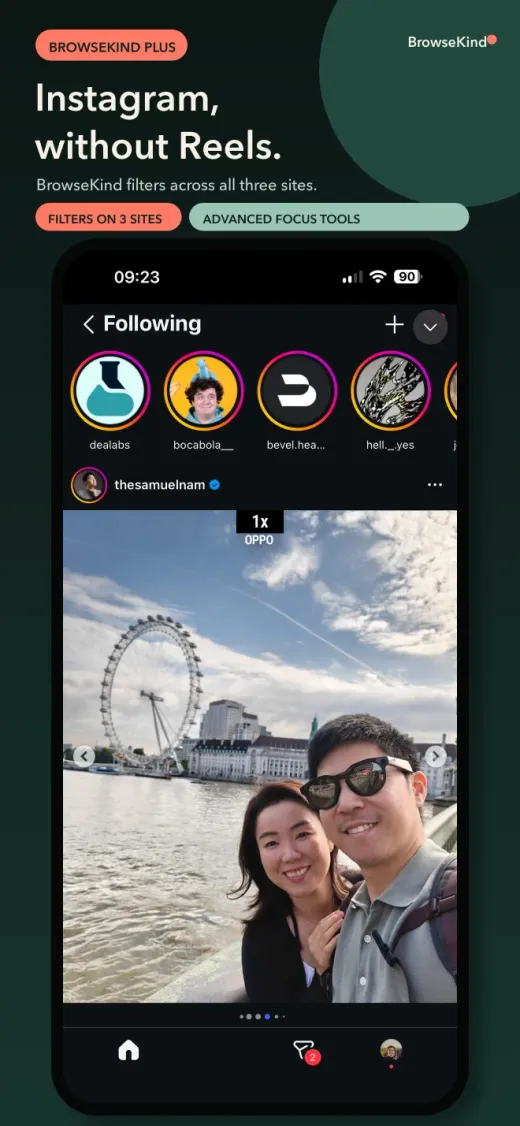
BrowseKind opens Instagram in a calm, separate app with Reels hidden. You keep messages, profiles, search and the accounts you follow.
Free download on iPhone and Android. Plus is optional.

BrowseKind shows the Instagram website inside its own app. It does not modify the official Instagram app and is not affiliated with Instagram or Meta.
Can you remove Reels from the official Instagram app?
Not today. Instagram has no setting that turns Reels off, and no other app can change the official Instagram app on iPhone or Android.
What you can change is where you open Instagram: in BrowseKind, which shows Instagram without Reels, or in Safari with a Reels-blocking extension. You can keep the official app for notifications, or limit it with a schedule.
How to use Instagram without Reels with BrowseKind
- Download BrowseKind for free from the App Store (iPhone) or Google Play (Android 8.0 or later).
- Choose Instagram as your free focus network. You can change it at any time in Settings.
- Sign in on the Instagram website inside BrowseKind. Your session stays on your device.
- Reels are hidden. Messages, profiles, search and the accounts you follow stay available.
- Optional: on iPhone, pause the native Instagram app outside your hours with Screen Time. On Android, App Shield can send the native app to BrowseKind.
What is hidden and what stays
- Hidden: Reels.
- Hidden if you choose: Explore, recommendations and the home feed.
- Kept: direct messages, profiles you visit, search and posts from people you follow.
- With Plus: the same filters on YouTube and X, sponsored posts hidden on Instagram, fewer ads, quiet hours and up to three account spaces.
Free or Plus?
Hiding Reels is free when Instagram is your focus network. BrowseKind Plus is an optional subscription that applies focus filters to all three networks and adds profiles, quiet hours and account spaces. Your store shows the price and any eligible trial before you buy.
Frequently Asked Questions
How do I block Instagram Reels on iPhone?
Instagram has no switch to disable Reels. On iPhone, you can use Instagram in BrowseKind, which hides Reels for free when Instagram is your focus network, or in Safari with No Reel. Screen Time can also limit the official app.
Is there an Instagram app without Reels for Android?
BrowseKind is available on Google Play for Android 8.0 or later. It opens Instagram in a focused browser with Reels hidden. The official Instagram app is not modified.
Can I still use Instagram messages?
Yes. Direct messages stay available on the Instagram website inside BrowseKind. If you want push notifications, keep the official app installed and choose when it is available.
Is my Instagram password safe?
You sign in directly on the Instagram website. BrowseKind does not receive your password, messages or browsing history. Cookies and website data stay on your device.
Is BrowseKind free?
Yes. The download is free, and so are Reels blocking and the essential filters on the network you choose. Plus is an optional subscription.
Get BrowseKind
Updated November 18, 2026