BrowseKind
Block YouTube Shorts and Instagram Reels in one calm browser for iPhone and Android. Keep messages, profiles, subscriptions and regular videos close at hand.
Free download. BrowseKind Plus is optional; your store shows the price, renewal terms and any eligible trial before purchase.

Screenshot
Uno sguardo più da vicino all'app in azione.
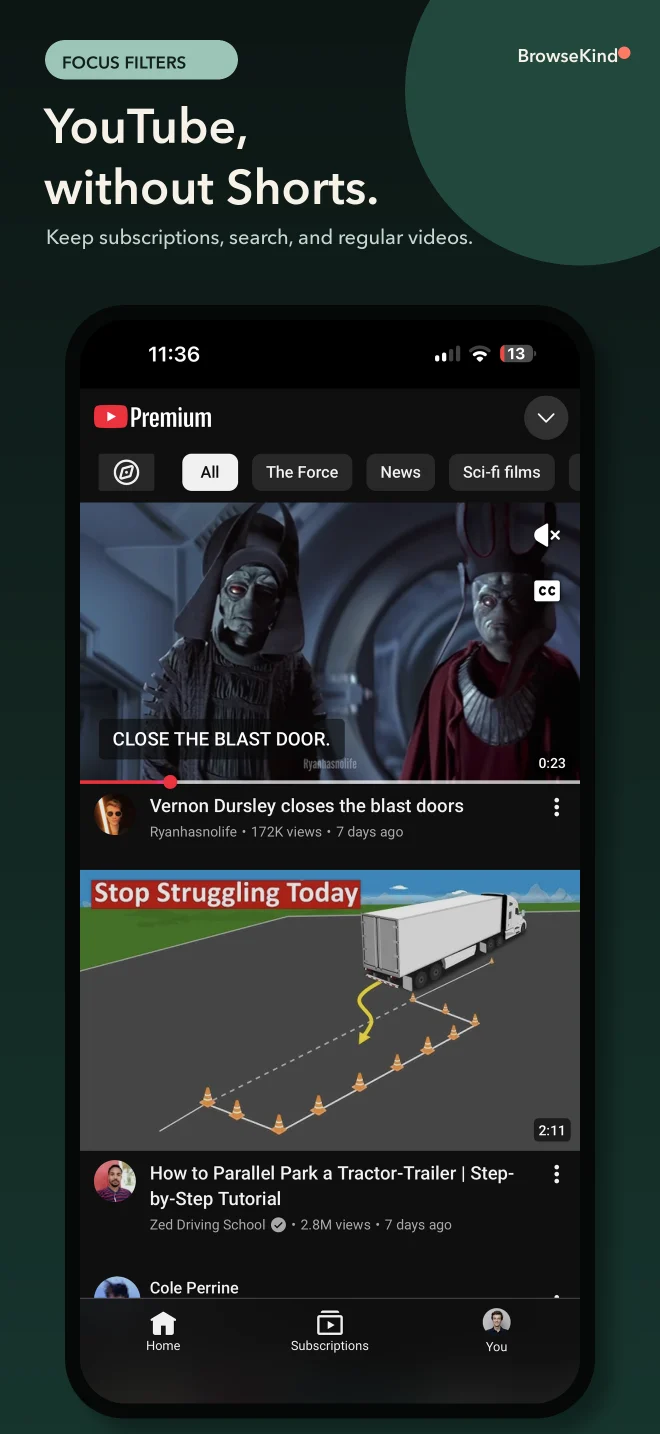
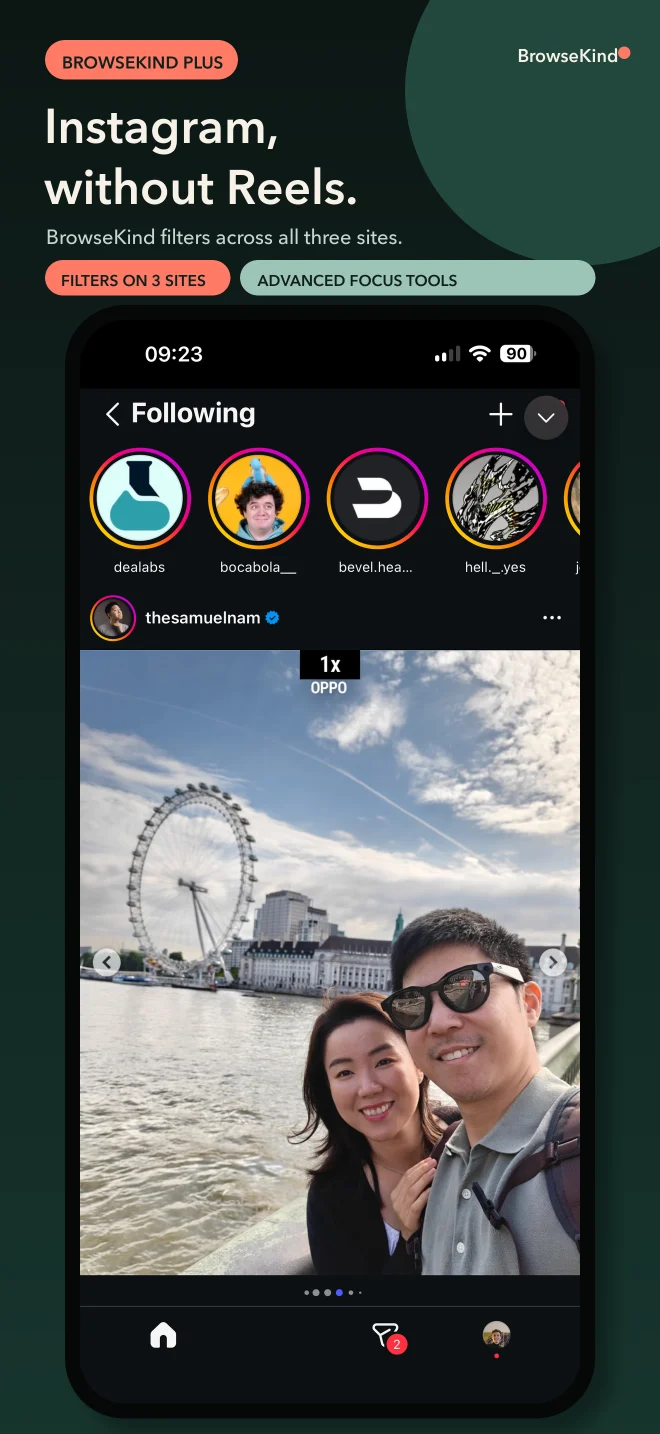
A calmer way to use the social web
BrowseKind is an intentional social browser available now for iPhone on the App Store and for Android 8.0 or later on Google Play. It keeps the useful parts of the social web close while moving endless feeds, short videos, and recommendation loops out of the way.
Open YouTube, Instagram, and X in isolated Apple WebKit or Android System WebView sessions, stay signed in locally, and choose the essential filters that work for you. BrowseKind does not receive your passwords, private messages, or page content.
On iPhone, the free version lets you browse every supported service, apply essential filters to one focus network that you can change at any time, and optionally schedule selected native apps through Screen Time. BrowseKind Plus extends focus filters to all three networks and adds up to three account spaces per network, stronger focus profiles, quiet-hour schedules, fine-grained controls, and local sponsored-post controls for Instagram and X. Android features and availability are shown separately in the app.
The next update brings larger controls and a simpler toolbar, a weekly recap of distractions hidden on your device, clearer Plus trial steps with an optional reminder, and help when a website refuses sign-in inside the app. A new Home Screen widget on iPhone and Android will open YouTube, Instagram or X in one tap. These additions are awaiting store approval and will be available when your store offers the update.
Caratteristiche principali
- YouTube, Instagram, and X together in one focused iPhone or Android app.
- Browse every supported service for free on iPhone and apply essential local filters to one focus network you can change at any time.
- Optional free Screen Time or App Shield schedules that pause selected native apps outside your allowed hours.
- Separate, persistent website sessions with per-service data controls.
- Optional Plus profiles, automatic quiet hours, comments and engagement controls, grayscale media, and local sponsored-post controls for Instagram and X.
- No BrowseKind account, no advertising SDK, no cross-app tracking, and no browsing-content analytics.
Domande frequenti
Does BrowseKind replace the official social apps?
BrowseKind opens the mobile websites inside Apple WebKit on iPhone or Android System WebView on Android. It is useful for browsing, messages, subscriptions, and many everyday actions, but some native-only features may remain available only in the official apps.
Are YouTube, Instagram, or X affiliated with BrowseKind?
No. BrowseKind is an independent browser and focus tool and is not affiliated with, endorsed by, or sponsored by those services or their owners.
What stays free?
On iPhone, browsing every supported service stays free. You can apply the essential short-video, discovery, recommendation, and home-feed filters to one focus network, change that network at any time, and use optional Apple Screen Time schedules without Plus. Plus extends focus filters to all three networks and adds multiple account spaces, advanced profiles, quiet hours, and fine-grained browser controls.
Is the weekly recap sent to the developer?
The upcoming weekly counter and recap are calculated on your device. They do not send visited URLs, page content, messages or credentials to the developer. Optional activation and purchase diagnostics are off by default and require your consent; store billing and subscription management are described separately in the privacy policy.
Does BrowseKind block YouTube video ads?
No. BrowseKind does not block or bypass YouTube video advertising, anti-ad-block messages, paywalls, subscriptions, DRM, or paid features.
Where are my login and browsing data stored?
Apple WebKit or Android System WebView stores each service's cookies, cache, and website storage locally on your device. BrowseKind does not send your credentials, messages, history, or page content to the developer.
Is BrowseKind available for iPhone?
Yes. BrowseKind is available for iPhone on the App Store and for Android on Google Play.
Is a free trial or discount available to everyone?
A trial or discounted offer applies only when the App Store or Google Play displays it for your account. Check the price, billing period and renewal terms in the store confirmation before buying. You can manage or cancel Plus through the store where you purchased it.
Should I choose a Safari extension or BrowseKind?
Choose No Shorts or No Reel if you want to keep browsing the relevant website in Safari with a one-time purchase. Choose BrowseKind if you want a separate browser for YouTube, Instagram and X, with a useful free tier and optional Plus. The Safari extensions leave the official social apps unchanged. BrowseKind also offers optional, free schedules that pause selected native apps. BrowseKind Plus is not part of the three-extension bundle.
Altre app per la concentrazione
Altri strumenti indipendenti per un Safari più tranquillo e un feed usato con intenzione.
No Reel
Blocco Reels per Instagram
Blocca i Reels di Instagram in Safari su iPhone e Mac, con controlli separati per Storie, Esplora e suggerimenti.
No Shorts
Blocco per YouTube
Blocca YouTube Shorts in Safari su iPhone, iPad e Mac per rimanere concentrato sui veri video.